Turn every voice
into visual knowledge
Record meetings, import documents, and search everything — VoiceSketch turns audio into AI-powered visual notes.
What's new in VoiceSketch
Five powerful upgrades shipped in our latest release
Full-Text Search
Instantly find any word or phrase across all your sessions. Lightning-fast FTS5 search with highlighted snippets and smart filter chips.
File Import & OCR
Import PDFs, Word documents, and photos from the Files app. Text is extracted automatically and transformed into AI visual summaries.
Streaks & Badges
Build a daily recording habit and earn achievement badges. Track your 7-day and 14-day streaks right from your profile tab.
Shared Session Viewer
Share any session as a web link. Recipients can view your visual notes, transcript, and action items in a beautiful web viewer — no app required.
Smart Notifications
Gentle reminders to stay on your recording habit with deep-links that open right where you need to be. Weekly digest keeps you on track.
← Swipe to explore →
Why VoiceSketch?
The smarter way to capture and remember
You Forget 70% Within 24 Hours
Studies show we lose most of what we hear within a day. VoiceSketch captures everything so you can stay focused on listening, not scribbling.
Images Stick 6x Better Than Text
The picture superiority effect is real — visual notes are remembered far longer than plain text. VoiceSketch turns your words into memorable images.
Think in Your Language
Record in any of 60+ languages and get summaries you can actually understand. No more struggling with notes in a second language.
One Tap, Done
Hit record, and VoiceSketch handles the rest — transcription, summarization, and visual notes, all generated automatically.
What's New
The biggest VoiceSketch update yet
Full-Text Search
Instantly find any word across all your sessions. FTS5-powered search with filter chips and highlighted snippets so you never lose a note again.
File Import & OCR
Import PDFs, Word docs, and photos from the Files app. Text is extracted automatically and turned into AI-powered visual summaries.
Streaks & Badges
Build a daily recording habit and earn achievement badges. Your streak is displayed prominently on your Profile tab as motivation.
Smart Notifications
Gentle daily reminders and a Sunday weekly digest keep you on track. Notifications deep-link directly into the app where you need to be.
Shared Session Viewer
Share any session as a web link. Recipients view your visual notes, transcript, and action items in a polished web viewer — no app needed.
Action Item Dashboard
A dedicated dashboard for all extracted action items with filters by status and assignee, and full sort control. Never miss a follow-up.
Export Templates
Choose from three stunning export layouts: Clean, Visual, and Summary Card. Each template adapts your content for a polished PDF.
8-Language UI
Photo import and all new v1.1 features are now fully localized across all 8 supported languages including Japanese and Korean.
Powerful Features
Everything you need to transform audio into visual knowledge
Voice Recording
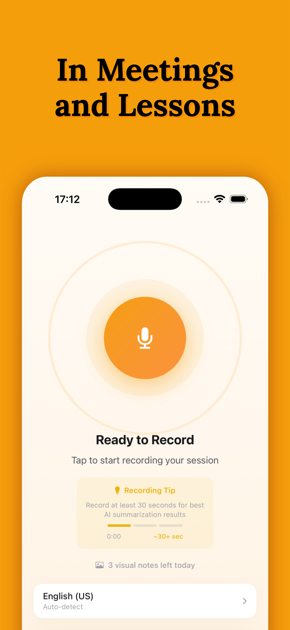
Real-time audio capture with live transcription. Record lectures, meetings, or any spoken content effortlessly.
AI Summarization
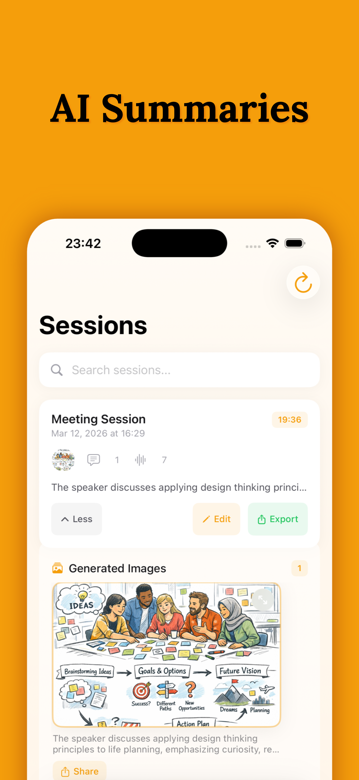
AI-powered summarization automatically generates concise summaries that capture the essence of your content.
Visual Notes
AI-generated images for each summary segment, creating memorable visual anchors for better retention.
Photo & Text Import
Import photos of whiteboards or documents, or paste any text. AI automatically extracts and summarizes content visually.
Multi-language
Support for 60+ transcription languages and 10 UI languages. Learn in your native language.
Cloud Sync & Export
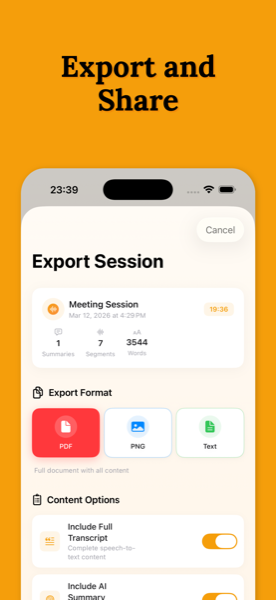
Sync across devices with Firebase backup. Export to PDF, PNG, or RTF. Choose from 5 summary styles including Cornell Notes.
How It Works
Three simple steps to visual learning
Record, Import, or Paste
Start recording your lecture, meeting, or discussion. Import photos of whiteboards and documents, or paste text directly. VoiceSketch transcribes in real-time with support for 60+ languages.
AI Processing
Our AI analyzes your content, extracting key concepts and creating concise summaries. Each segment is paired with a unique AI-generated visual.
Review & Export
Browse your visual notes, sync across devices with Firebase, and export to PDF, PNG, or RTF. Your knowledge, beautifully organized.
Perfect For
Enhance learning and retention in any context
Students
Transform lectures into visual study guides for better exam preparation
Professionals
Capture meeting insights with visual summaries for quick reference
Podcast Listeners
Turn audio content into memorable visual notes you can review
Researchers
Organize findings with visual documentation for easier analysis
What Users Say
Join thousands of learners transforming their notes
"VoiceSketch has completely changed how I study. The visual summaries make complex topics so much easier to remember!"
"I use it for every meeting now. The AI summaries capture key points I would have missed, and the visuals help me recall discussions weeks later."
"The multi-language support is amazing! I can record lectures in Japanese and get summaries in English. Perfect for my research."
"As a podcast creator, I use VoiceSketch to generate show notes automatically. It saves me hours every week and my audience loves the visual summaries!"
"The export feature is fantastic. I can share my visual notes as PDFs with my study group. We've all improved our grades since using VoiceSketch!"
"I attend conferences worldwide and VoiceSketch helps me capture every presentation. The visual notes make it easy to share insights with my team back home."
Start Learning Visually
Download VoiceSketch and transform how you capture and retain knowledge.
Download on App StoreJoin Our Community
Connect with other VoiceSketch users, share tips, request features, and get help from the community and our team.
Join Discord ServerTerms of Service
Please read these terms carefully before using VoiceSketch
Last updated: February 7, 2026
Privacy Policy
Your privacy matters to us
Last updated: February 7, 2026